




Quick Answer
Soundverse AI is an AI-powered music creation platform featured on Appketra that lets anyone generate original songs, instrumentals, lyrics, and vocals from simple text prompts — no musical training required. Founded in 2023 by ex-Spotify executive Sourabh Pateriya, Soundverse has grown to power over 1.6 million creators worldwide. It offers tools for text-to-music generation, AI singing voice creation, stem separation, track extension, music inpainting, and a conversational AI assistant called SAAR. Paid plans start from approximately $12.49/month and include royalty-free licensing for content creators.
Table of Contents
- What Is Soundverse AI?
- Who Made Soundverse AI?
- How Does Soundverse AI Work?
- Key Features Explained
- V5 Model — Soundverse’s Latest AI Engine
- AI Noise Cancellation: What Soundverse Can and Cannot Do
- Supported File Formats and Export Options
- Mobile App and Desktop Access
- How to Use Soundverse AI — Step by Step
- Best Prompt Examples
- Soundverse AI Pricing (2026)
- Free vs Paid Plan Comparison
- Pros and Cons
- Real-World Use Cases
- Performance Review
- Soundverse AI vs Suno AI vs Udio vs AIVA vs Boomy
- Best Alternatives
- Expert Tips
- Common Mistakes to Avoid
- Expert Verdict
- Frequently Asked Questions (FAQ)
- People Also Ask
What Is Soundverse AI?
Soundverse AI is a full-featured AI music creation platform built for content creators, musicians, podcasters, and businesses. If you are looking for the latest software reviews and tech platforms, explore Appketra to find the best digital solutions.It transforms plain text descriptions into professional-quality songs, instrumentals, and audio assets in seconds.
The platform is not just a music generator. It is an entire creative studio that includes tools for writing lyrics, separating audio stems, extending tracks, fixing specific sections of a song, training custom AI music models, and even embedding copyright attribution into your exported files.
Soundverse describes itself as an ethical AI music studio — meaning its models are trained on music with explicit artist consent, and the company publishes a public whitepaper on its AI ethics practices.
As of 2026, the platform supports:
- Full songs with vocals up to 4.5 minutes long
- Instrumentals up to 10 minutes long
- Song generation in 12+ languages
- Two AI model versions — V4 and V5
- One-tap sharing to TikTok, Instagram Reels, and direct export for Spotify and YouTube
Key stat: Soundverse AI has powered over 1.6 million creators who have collectively produced more than 2 million tracks on the platform.
Who Made Soundverse AI?
Soundverse AI was founded in 2023 by three co-founders:
- Sourabh Pateriya — CEO, formerly at Spotify
- Riley Williams — CTO
- Ash Pournouri — Co-founder
The company, Soundverse Inc., is headquartered in New York City and had approximately 20 employees as of mid-2026. It raised an Angel funding round in February 2026 and is now available on the Microsoft Marketplace, allowing enterprise customers to integrate Soundverse directly into Microsoft’s ecosystem.
Soundverse gained significant public attention in early 2026 when it appeared on Shark Tank India Season 5, where the founders secured a ₹1.35 crore investment from Shark Namita Thapar in exchange for 5% equity. At the time of the pitch, the platform had approximately 1.7 lakh monthly active users with monthly revenue of ₹22 lakhs and an ₹86 lakh enterprise deal in place.
How Does Soundverse AI Work?
Soundverse uses generative AI models trained on large, ethically sourced music datasets to turn text descriptions into finished audio. To see how this compares to other generative software, check out our curated directory of AI tools.
The workflow is simple:
- You describe the music you want in plain English — genre, mood, instruments, energy, tempo.
- The AI interprets your prompt and generates a fully produced audio file.
- You can then edit, extend, fix specific sections, separate into stems, or export.
The platform processes music asynchronously — meaning it analyzes your prompt, generates the track, and makes it available for download once complete. With the V5 model, streaming playback begins almost immediately, so you can hear results without waiting for full rendering.
Two main creation modes:
| Mode | What It Does |
|---|---|
| Simple Mode | Describe mood, instruments, style. AI handles everything else. |
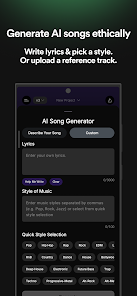
| Custom Mode | Add your own lyrics, select specific style, upload reference tracks. |
Every action on the platform consumes tokens from your monthly allowance. Generating a track, separating stems, or extending a song each uses a set number of tokens depending on the action and length.
Key Features Explained
AI Music Generator
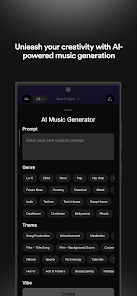
The core of Soundverse is its AI Music Generator. Type a description of the sound you want — including genre, instruments, mood, and tempo — and the platform produces an original track from scratch.
It supports a wide range of musical styles including pop, hip hop, electronic, lo-fi, jazz, classical, ambient, rock, country, EDM, deep house, and more.
Example prompt: “Upbeat indie pop with acoustic guitar, handclaps, and a warm vocal feel. 110 BPM. Optimistic and fresh.”
Text to Music
Text to Music is the foundational tool for instrumental creation. You describe the concept and the AI builds a complete musical loop or composition. Supported track lengths on paid plans: 15 seconds, 30 seconds, 1 minute, 3 minutes, 5 minutes, and longer durations on Enterprise.
This is ideal for content creators who need background music without copyright complications.
Text to Song (with Vocals)
Text to Song produces fully sung tracks. You provide lyrics (or have the AI write them), choose a vocal style, and the AI generates a complete song with melody, harmony, and arrangement — in 12+ languages.
This is one of the most powerful features for musicians who want to hear their song ideas performed before committing to a studio session.
AI Lyrics Generator
The built-in lyrics tool writes original song lyrics based on a theme, mood, occasion, or story. It handles structure — verse, chorus, bridge — and can match the style to a genre you specify.
Lyrics feed directly into the Text to Song tool, creating an end-to-end songwriting workflow inside one platform.
SAAR — The Conversational AI Assistant
SAAR (named after the Hindi word for “conclusion”) is Soundverse’s AI voice and text music assistant. Think of it as a music-specific version of Siri or Alexa.
SAAR handles multi-step creative tasks through natural conversation. You can say or type:
- “Write me lyrics for a motivational track, then create a song from them.”
- “Create a 30-second lo-fi intro for my podcast.”
- “What are the top subgenres of deep house?”
SAAR remembers context within a session, so you can build on previous requests without repeating yourself. It uses patent-pending orchestration technology to chain multiple tools together automatically.
AI Singing Voice Generator
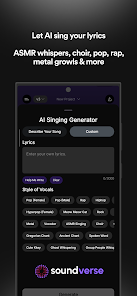
Converts written lyrics into realistic AI singing vocals. You select the vocal style — genre, energy, male or female — and the AI delivers a fully performed vocal track. Extremely useful for musicians, songwriters, and content creators who need polished tracks without access to a singer.
Stem Separation
One of Soundverse’s most popular features. Upload any mixed audio track and the AI splits it into individual stems for independent use.
Supported stems:
- Vocals
- Drums
- Bass
- Guitar
- Accompaniment / Instruments
- Other elements
Common use cases:
- Remove vocals to create karaoke versions
- Extract the instrumental from a song for remixing
- Isolate drum patterns as reference for new productions
- Pull individual instruments for music analysis or education
Upload formats supported include file upload, URL input, or direct recording. Best results come from using high-quality WAV source files.
Audio Extension (Extend Music)
Generates new sections that continue an existing track naturally. If the AI generates a 30-second clip you like, Extend Music builds it out to 2, 3, or 5 minutes without losing the original sound direction.
Music Inpainting
Select a specific section of a track and regenerate only that part. If the chorus sounds right but the bridge is off, you fix just the bridge — without starting over and losing everything that works.
Auto-Loop
Creates perfectly seamless loops from any track. The loop point is invisible to the listener — essential for background music in videos, games, apps, and streams.
Voice to Instrument
Hum or sing a melody, and the AI transforms your voice into a real instrument — guitar, piano, synth, strings, and more. Excellent for musicians who have a melodic idea but cannot play it on an instrument.
MIDI to Song Generator
Upload a MIDI file and Soundverse builds a full song around the melody — adding harmony, rhythm, and instrumentation. Useful for composers who sketch in MIDI and want a fully produced result fast.
Melody to Song Generator
Similar to MIDI to Song, this tool takes a simple melody reference and generates a complete track around it. Good for sketching ideas quickly.
DNA — Custom AI Music Models
The DNA feature lets you train a personal AI model on your own music, voice, or a specific style. Once trained, your DNA model produces audio that sounds consistently like you.
DNA features include:
- Full DNA — generates complete songs or instrumentals in your style
- Voice DNA — replicates your vocal timbre and performance style
- DNA Marketplace — publish your model and earn royalties when others use it
- Sensitivity Selector — control how closely the model mirrors your style vs interprets it
- Private Mode — keep your model secure for internal collaboration
Soundverse Trace
A newer feature that embeds digital attribution and provenance metadata directly into every exported file. This means your track carries a verifiable record of how it was created, which AI model was used, and who owns it.
This is especially important for commercial use, Grammy submissions, TV and film licensing, and any context where copyright verification matters.
Section Analysis + Tempo & Key Detection
Intelligence tools that analyze an uploaded track and detect its tempo (BPM), musical key, and section structure. Useful for musicians who want to understand a reference track before creating something in a similar style.
Voice Swap
Changes the voice model on an existing vocal track — letting you test how a song sounds in different vocal styles or tones without re-recording.
Similar Music Generator
Generates new original tracks that match the vibe, mood, or energy of a reference track you upload or describe. Useful for A/B testing sounds or producing consistent audio branding.
V5 Model — Soundverse’s Latest AI Engine
The V5 model is Soundverse’s most advanced music generation engine as of 2026. It represents a significant improvement over V4 across multiple areas:
| Feature | V4 | V5 |
|---|---|---|
| Audio Fidelity | Good | Higher quality |
| Vocal Clarity | Standard | Noticeably cleaner |
| Instrumentation Richness | Standard | Richer, more layered |
| Playback | Wait for full render | Streaming playback — starts immediately |
| Generation Time | Standard | Faster iteration |
The streaming playback feature in V5 is particularly notable. Instead of waiting for the full track to render before you can hear it, you begin hearing the result almost immediately after clicking Generate. This significantly speeds up the creative workflow, especially when testing multiple prompt variations.
V5 is available in compatible tools including the AI Song Generator, Text to Music, and Similar Music Generator. To use it, simply set Model = V5 before generating.
AI Noise Cancellation: What Soundverse Can and Cannot Do
This topic requires clarity because it’s a common point of confusion.
Soundverse is a music creation platform — it is not a dedicated AI noise cancellation or audio denoising tool.
Here is an honest breakdown:
What Soundverse CAN help with (audio-related):
- Stem Separation — isolates and removes vocals from a mixed track, producing a clean instrumental. Also removes background music if you isolate the vocal stem.
- Vocal Extraction — pulling a clean vocal from a mixed song using stem separation
- Remixing — isolating specific audio layers for repurposing
What Soundverse CANNOT do (as of 2026):
- Real-time background noise suppression during calls or recordings
- Removing hiss, echo, room noise, or wind from voice-over recordings
- Post-production speech denoising the way tools like Adobe Podcast Enhance or ElevenLabs Voice Isolator do
Understanding the Difference
| Concept | What It Does | Best Tool |
|---|---|---|
| AI Noise Cancellation | Blocks ambient noise in real time (calls, mic recordings) | Krisp, NVIDIA RTX Voice |
| AI Noise Removal | Removes noise from finished audio recordings in post | Adobe Podcast Enhance, ElevenLabs |
| AI Stem Separation | Splits mixed music into vocal and instrumental layers | Soundverse, LALAL.AI |
If you need to clean up a podcast voice recording, remove room echo, or strip fan noise from a video — use a dedicated denoising tool. If you need to separate audio stems from a finished musical track, Soundverse’s Stem Separation is excellent.
Expert tip: For best results, pre-clean your voice recordings before importing them into Soundverse’s Stem Separation. The cleaner your input, the cleaner your extracted stems.
Supported File Formats and Export Options
| Plan | MP3 Export | WAV Export | STEM Export | Monthly Limit |
|---|---|---|---|---|
| Free | 10 MP3/month | |||
| Creator | Unlimited | |||
| Pro | Unlimited | |||
| Max | Unlimited |
The platform also supports lossless file downloads for direct Spotify and YouTube distribution on paid plans. One-tap sharing to TikTok and Instagram Reels is available across all plans.
Mobile App and Desktop Access
Soundverse is available on three platforms:
Web Browser (soundverse.ai/studio) Full access to all tools. Works on any modern browser. Best experience for detailed editing and multi-step workflows.
iOS App
- Available on the Apple App Store
- Requires iOS 17.6 or later
- Published by Soundverse Inc.
- Rated 3.9/5 on the App Store (64 ratings)
- Supports in-app purchases for tokens and plan upgrades
Android App
- Available on Google Play Store
- Last updated June 20, 2026
- Released updates every 30–45 days
Note on stability: After Soundverse’s Shark Tank India appearance in early 2026, the app experienced temporary server overload due to a traffic spike. The company resolved this and issued updates. Some Android users reported generation errors in April 2026, which were also patched. Expect ongoing improvement as the platform scales.
How to Use Soundverse AI — Step by Step
Getting started is fast:
- Go to soundverse.ai and click Sign Up (free, no credit card needed)
- You receive 1,000 free tokens immediately
- Navigate to the AI Studio for tool-based creation, or open SAAR for conversational creation
- Choose Simple Mode (easy) or Custom Mode (more control)
- Type your music description — genre, mood, instruments, tempo, energy
- Select your track length (15s or 30s on free; up to 5 min+ on paid plans)
- Choose your AI model — V4 for standard, V5 for streaming + higher quality
- Click Generate — the AI processes your prompt and delivers audio
- Review the output. If something is off, use Inpainting to fix just that section
- Use Extend Music to grow the track if needed
- Use Stem Separation if you want individual layers
- Export in MP3 (free) or MP3, WAV, and Stems (paid)
Total time from signup to first track: Under 5 minutes.
How to Extract Stems or Remove Vocals Using Soundverse
If you have a mixed audio track and want to isolate or remove specific elements:
- Log in and open the AI Studio
- Select Stem Separation from the Magic Tools section
- Upload your audio file (from device, URL, or direct recording)
- Wait for the AI to process — usually quick for standard track lengths
- Download the individual stems — vocals only, drums only, instrumental only, etc.
Tips for best results:
- Use WAV files over MP3 for cleaner separation
- Pre-clean your audio if it has obvious quality issues
- Use headphones when reviewing separated stems to catch subtle artifacts
- For any residual vocal traces in the instrumental, use the Inpainting tool to regenerate affected sections
Best Prompt Examples for Soundverse AI
The quality of your output depends heavily on how specific your prompt is. Vague prompts produce generic results. Specific prompts produce focused, usable tracks.
For YouTube background music:
“Calm cinematic background track with soft strings, gentle piano, and subtle percussion. Slow tempo, 60 BPM. Emotional but hopeful. No vocals.”
For a podcast intro (15 seconds):
“Punchy, modern 15-second intro for a business podcast. Upbeat electronic with a driving beat. Builds quickly and ends on a strong hit.”
For lo-fi study music:
“Lo-fi hip hop beat with vinyl crackle, warm piano chords, lazy drums, and a soft bass line. 85 BPM. Nostalgic and focused.”
For a TikTok or Reels track:
“Energetic pop with a catchy synth melody, claps, and a big drop. Fun and commercial feel. 120 BPM. 30 seconds.”
For a full song with lyrics:
“Write lyrics for a pop song about overcoming self-doubt. Uplifting tone. Verse-chorus-bridge structure. Then create the song with a female vocal, indie pop style.”
For game background music:
“Tense, atmospheric game soundtrack for a dark fantasy dungeon. Ominous strings, deep drums, and ambient synth pads. No melody, just mood.”
Soundverse AI Pricing (2026)
Important: Pricing can change. Always verify current rates at soundverse.ai/pricing before purchasing. Annual billing saves approximately 20%.
| Plan | Monthly Price | Tokens/Month | Key Inclusions |
|---|---|---|---|
| Free | $0 | 1,000 | 10 MP3 exports, 15s/30s tracks, all tools, non-commercial only |
| Creator | ~$12.49–$15.99 | 4,000 | Unlimited MP3/WAV/Stem exports, tracks up to 5 min, royalty-free license |
| Pro | ~$31.24–$39.99 | 10,000 | Everything in Creator + sample usage license, priority rendering |
| Max | ~$60–$79.99 | 25,000 | Everything in Pro + ultra-priority renders, dedicated processing |
| Enterprise | Custom | Custom | Full licensing, sync rights, long-form music, dedicated support, API access |
Note: Web subscription prices are generally lower than in-app prices through the Apple App Store or Google Play due to platform fees.
Token Top-Up Packs (as seen on iOS App Store)
If you run out of tokens mid-month, you can purchase additional packs:
| Pack | Price (approx.) |
|---|---|
| 500 Tokens | ~$6.99 |
| 1,000 Tokens | ~$15.99 |
| 3,000 Tokens | ~$44.99 |
| 5,000 Tokens | ~$71.99 |
| 10,000 Tokens | ~$129.99 |
Enterprise API
For developers and companies integrating Soundverse into their own products, a separate API pricing tier is available at soundverse.ai/ai-music-generation-api. Soundverse AI is also available on the Microsoft Marketplace, making enterprise procurement easier for Microsoft customers.
Free vs Paid Plan: What You Actually Get
| Feature | Free | Creator | Pro | Max |
|---|---|---|---|---|
| Monthly Tokens | 1,000 | 4,000 | 10,000 | 25,000 |
| MP3 Exports | 10/month | Unlimited | Unlimited | Unlimited |
| WAV Exports | ||||
| STEM Exports | ||||
| Track Length | 15s, 30s | Up to 5 min | Up to 5 min+ | Up to 5 min+ |
| Stem Separation | Limited | |||
| Extend Music | ||||
| V5 Model Access | ||||
| Royalty-Free License | Non-commercial | |||
| Sample Usage License | ||||
| Priority Rendering | ||||
| Private Prompts | ||||
| Collaboration Studio | ||||
| Commercial Use | (most platforms) | (incl. Spotify/DSPs) |
Pros and Cons
| Pros | Cons |
|---|---|
| Complete music creation suite — not just a generator | Free plan is limited (non-commercial, 10 exports/month) |
| V5 model delivers streaming playback + higher quality audio | Output quality can be inconsistent across prompts |
| SAAR assistant makes the platform genuinely conversational | Mobile app UI can feel overwhelming for new users |
| Stem Separation is excellent and supports up to 6 stems | Token budget can deplete quickly for heavy users |
| Royalty-free licensing on all paid plans | Some users report generation errors and platform instability |
| Soundverse Trace adds copyright attribution to every export | Commercial use requires careful review of license terms |
| Supports 12+ languages for global creators | No real-time noise cancellation or speech denoising |
| DNA feature lets artists monetize their sonic identity | UI has a learning curve for the full feature set |
| Available on iOS, Android, and web | Prompt interpretation is not always accurate for complex requests |
| Available on Microsoft Marketplace | Customer support response times have been inconsistent |
| Ethical AI — artist-consent training, public whitepaper | Shark Tank traffic spike caused temporary instability in early 2026 |
Real-World Use Cases
For YouTubers
YouTubers need copyright-safe background music that won’t trigger Content ID strikes. Soundverse solves this directly. On the Creator plan, all generated music is royalty-free for use on YouTube, YouTube Shorts, TikTok, Instagram, Twitch, and Facebook.
Example: A travel vlogger generates a custom 3-minute ambient track per video using a single prompt. No licensing. No third-party music. No copyright claims.
For Podcasters
Podcasters use Soundverse to produce original intros, outros, and background music beds that match the exact tone of their show. Instead of licensing a generic track, they create something unique to their brand in minutes.
Example: A true crime podcast creates a tense 15-second cinematic intro that plays across every episode, building a consistent audio identity.
For Musicians and Songwriters
Musicians use Soundverse as a creative tool rather than a replacement. The Lyrics Generator breaks through writer’s block. Stem Separation lets them study reference tracks. Voice to Instrument turns a hummed melody into a real sound. MIDI to Song completes skeletal ideas.
Example: A bedroom producer uploads a reference track, extracts the drum stem, and builds an entirely new composition around a similar rhythmic feel.
For Video Editors
Video editors need music that fits precise lengths. The Extend Music tool generates tracks and adjusts duration to match any timeline. The Auto-Loop tool creates seamless background loops that run exactly as long as the project requires.
Example: A wedding video editor generates a custom emotional piano track that runs for exactly 4 minutes and 20 seconds to match a highlight reel.
For Businesses and Marketing Teams
Businesses use Soundverse for jingles, ad background music, presentations, on-hold audio, and branded content. The Pro plan’s sample usage license supports distribution across major platforms.
Example: A digital agency creates 8 music variations for an ad campaign in an afternoon, testing different moods without a single licensing fee.
For Game Streamers
Streamers need background audio that matches gameplay mood without triggering copyright bans. Studies show streams with consistent ambient soundscapes retain audiences notably longer. Soundverse’s Loop Mode creates continuous, seamless background audio for any stream length.
For Students and Educators
Students in media, film, and music courses use Soundverse to score projects and explore music production concepts. The Stem Separation feature is particularly valuable for music analysis — pulling apart songs to understand their individual components.
Performance Review
Sound Quality — 7.5/10
The V5 model delivers noticeably better audio fidelity, vocal clarity, and instrumentation richness compared to V4. Electronic, ambient, pop, and lo-fi genres tend to produce the most consistent high-quality results. Classical and jazz generation is solid but benefits from more detailed prompts.
Some outputs can sound “muddy” when compressed aggressively or when prompts are too vague. Generating 2–3 variations of the same prompt and selecting the best is standard practice.
Ease of Use — 7/10
Simple Mode and the SAAR assistant make Soundverse accessible to absolute beginners. However, the full feature set — including DNA, Inpainting, Stem Separation, and V5 model selection — involves a learning curve. Mobile users in particular have flagged the interface as initially confusing, though updates are ongoing.
Speed — 7.5/10
V5’s streaming playback is a genuine improvement for workflow speed. Priority rendering on Pro and Max plans further reduces wait times. Standard free plan generation is adequate but slower. Post-Shark Tank, the platform experienced some instability that has since been resolved.
Prompt Accuracy — 6.5/10
Simple, clearly described prompts translate well to the generated output. Complex, highly specific, or multi-layered prompts sometimes produce results that diverge from expectations. When precision matters, use Custom Mode with detailed parameters and generate multiple variations.
Value for Money — 8.5/10
For a content creator who regularly needs royalty-free music, the Creator plan at approximately $12–16/month is exceptional value. A single licensed track from a music library could cost more than a monthly subscription. The breadth of tools — generation, editing, stems, lyrics, vocals — makes this a strong all-in-one package.
Soundverse AI vs Competitors
Soundverse AI vs Suno AI
| Feature | Soundverse | Suno AI |
|---|---|---|
| Full Songs with Vocals | (up to 4.5 min) | |
| Instrumentals | (up to 10 min) | |
| Stem Separation | (needs third-party) | |
| Conversational AI (SAAR) | ||
| Lyrics Generator | ||
| Audio Extension | ||
| Music Inpainting | Limited | |
| Voice/Style Cloning (DNA) | Limited | |
| Copyright Attribution (Trace) | ||
| Multiple Languages | 12+ | Limited |
| Free Plan | ||
| Pricing from | ~$12.49/month | ~$10/month |
Verdict: Suno is excellent for pure song generation and has a large community. Soundverse wins on post-generation editing depth and ethical AI infrastructure. If you only need songs and nothing else, Suno is competitive. If you want an all-in-one studio, Soundverse has the edge.
Soundverse AI vs Udio
| Feature | Soundverse AI | Udio |
|---|---|---|
| Song Quality | High | High |
| Stem Separation | ||
| Conversational AI | ||
| Lyrics Generator | Limited | |
| Track Extension | ||
| Voice Swap | ||
| Ethical AI Framework | (published) | Less transparent |
| Free Plan |
Verdict: Both generate high-quality vocal songs. Soundverse has significantly more tools for editing and workflow. Udio focuses more narrowly on song generation quality. For versatility, Soundverse is the stronger choice.
Soundverse AI vs AIVA
| Feature | Soundverse AI | AIVA |
|---|---|---|
| Primary Use | Songs + instrumentals + editing | Cinematic/classical instrumentals |
| Vocal Generation | ||
| Lyrics Generator | ||
| Stem Separation | ||
| Conversational AI | ||
| Best For | Content creators, musicians | Film composers, classical composers |
| Free Plan |
Verdict: AIVA is a specialist tool for orchestral and cinematic composition. Soundverse is a generalist platform for the broader creator market. They serve different primary audiences.
Soundverse AI vs Boomy
| Feature | Soundverse AI | Boomy |
|---|---|---|
| Stem Separation | ||
| Conversational AI | ||
| Lyrics Generator | ||
| Track Extension | ||
| Export Formats | MP3, WAV, Stems | MP3 |
| Earn Royalties | DNA Marketplace | Platform royalty sharing |
| Free Plan |
Verdict: Boomy focuses on quick song generation and streaming distribution. Soundverse has far more editing and production tools. Boomy suits creators who want fast publishing to streaming platforms. Soundverse suits creators who want more control.
Full Comparison Table
| Platform | Vocals | Stems | SAAR/AI Assistant | Inpainting | Trace | DNA | Languages | Free |
|---|---|---|---|---|---|---|---|---|
| Soundverse AI | 12+ | |||||||
| Suno AI | Limited | Limited | ||||||
| Udio | Limited | |||||||
| AIVA | — | |||||||
| Boomy | — |
Best Alternatives to Soundverse AI
| Tool | Best For | Free Plan |
|---|---|---|
| Suno AI | Quick, high-quality song generation | |
| Udio | Vocal song quality and variety | |
| AIVA | Orchestral and cinematic composition | |
| Boomy | Publishing songs to Spotify fast | |
| Adobe Podcast Enhance | Cleaning up voice recordings | (limited) |
| ElevenLabs Voice Isolator | Extracting speech from noisy audio | (limited) |
| Krisp | Real-time noise cancellation on calls | (120 min/week) |
| LALAL.AI | High-quality stem separation | (limited) |
| Mubert | Background music streams for video/live |
Expert Tips for Getting the Most from Soundverse AI
- Write specific, detailed prompts. Instead of “make a happy song,” try “upbeat indie pop with acoustic guitar, handclaps, and a warm female vocal. Verse-chorus structure. 110 BPM. Optimistic.”
- Use the Explore tab before generating. Browse existing outputs across genres and moods. This helps you describe what you actually want more accurately before spending tokens.
- Always choose V5 for important tracks. The V5 model delivers streaming playback and significantly better audio fidelity. Use V4 only if you need to save generation time on rough drafts.
- Generate multiple variations. AI output is probabilistic. The same prompt can produce very different results. Generate 3–5 variations and choose the best. The creative upside is worth the extra token cost.
- Use Inpainting to fix — not regenerate. When 80% of a track sounds great, use Inpainting to fix the weak section rather than regenerating the whole track and losing what works.
- Budget tokens strategically. Test your prompt direction with a 15-second or 30-second generation first. Once the direction feels right, commit to a longer generation. This prevents wasting tokens on a full 3-minute track with a poorly defined prompt.
- Use Soundverse Trace for commercial work. If you plan to use your music commercially or submit it for licensing, enable Trace before exporting. The embedded attribution data protects your rights and simplifies compliance verification.
- Explore the DNA Marketplace if you’re an artist. If you produce original music, training a DNA model on your catalog can become a passive income stream as other creators license your sonic identity.
Common Mistakes to Avoid
- Vague prompts. The AI cannot read your mind. The more specific your description, the better the output.
- Using Soundverse for voice denoising. It is not the right tool for that. Use Adobe Podcast Enhance or ElevenLabs Voice Isolator instead.
- Assuming the free plan is commercial. The free plan is strictly non-commercial. Any content that earns revenue requires at least the Creator plan.
- Ignoring the license terms. Royalty-free does not mean unlimited use for every context. TV, film, and full ownership licensing require add-ons or custom licenses.
- Using the free plan for serious work. The 10 export limit and 15s/30s cap make the free plan a testing tool, not a production tool.
- Expecting perfect prompt interpretation. AI models are probabilistic, not deterministic. Complex or unusual prompts need iteration.
- Not testing on mobile before committing. The mobile app interface has known complexity issues. If you plan to use Soundverse primarily on a phone, test on the free plan first.
Expert Verdict
Soundverse AI is the most comprehensive AI music creation platform available in 2026. No other tool in its class combines music generation, stem separation, vocal synthesis, lyric writing, track extension, music inpainting, voice swap, MIDI input, style cloning, copyright attribution (Trace), and a conversational AI assistant — all inside a single platform.
The V5 model is a meaningful upgrade from earlier versions, and Soundverse Trace adds a layer of commercial legitimacy that competitors lack. The company’s Shark Tank India deal, Microsoft Marketplace listing, and February 2026 Angel round all signal a company that is growing and investing in its platform.
For content creators, YouTubers, podcasters, marketers, and independent musicians, the Creator plan at approximately $12–16/month is outstanding value. It replaces what would otherwise be monthly music licensing costs, while providing far more creative control.
For professional musicians with highly specific sonic requirements, results can vary, and the token system adds a cost dimension that requires budget planning. Testing on the free plan before committing to a paid tier is strongly recommended.
The main limitations to be aware of are inconsistent prompt interpretation on complex requests, historical platform stability issues (now mostly addressed), and the absence of a dedicated voice denoising or noise cancellation feature.
Overall Rating: 8.1 / 10
| Category | Score |
|---|---|
| Sound Quality | 7.5/10 |
| Feature Depth | 9.5/10 |
| Ease of Use | 7/10 |
| Speed (V5) | 8/10 |
| Value for Money | 8.5/10 |
| Ethical AI / Licensing | 9/10 |
| Overall | 8.1/10 |
Frequently Asked Questions
What is Soundverse AI?
Soundverse AI is an AI-powered music creation platform that generates original songs, instrumentals, lyrics, and vocals from text prompts. It includes the SAAR conversational assistant, stem separation, track extension, voice swap, DNA artist models, Soundverse Trace, and the V5 generation model.
Is Soundverse AI free?
Yes. The free plan includes 1,000 tokens, 10 MP3 exports per month, access to all AI magic tools including stem separation and music extension, and track lengths of 15 or 30 seconds. The free plan is limited to non-commercial use.
How does Soundverse AI work?
You type or speak a description of the music you want. The AI interprets the prompt using generative models and creates an audio file. You can extend, edit, separate into stems, or export the result. V5 streams playback as it renders.
Who owns Soundverse AI?
Soundverse Inc., founded in 2023 by Sourabh Pateriya (CEO, formerly of Spotify), Riley Williams (CTO), and Ash Pournouri. Headquartered in New York City. Received Angel funding in February 2026 and is available on Microsoft Marketplace.
How much does Soundverse AI cost?
Free plan: $0. Creator: approximately $12.49–$15.99/month. Pro: approximately $31.24–$39.99/month. Max: approximately $60–$79.99/month. Enterprise: custom pricing. Annual billing saves approximately 20%.
Can I use Soundverse AI commercially?
On the Creator plan and above, music is royalty-free for YouTube, TikTok, Instagram, Twitch, podcasts, ads, and similar platforms. The Pro plan adds sample usage and Spotify/Apple Music distribution rights. TV, film, and full ownership licensing require a custom license add-on.
Is Soundverse AI copyright safe?
Yes on paid plans. Soundverse trains its models using artist-consented data and publishes an ethical AI whitepaper. Soundverse Trace embeds attribution into every exported file. Commercial use requires human creative involvement — tracks cannot be 100% AI-generated without any human input under current terms.
Does Soundverse AI have the V5 model?
Yes. V5 is Soundverse’s most advanced generation engine. It offers streaming playback (you hear results immediately as they render), higher audio fidelity, clearer vocals, and richer instrumentation compared to V4.
Can Soundverse AI generate songs with vocals?
Yes. Full songs with AI vocals up to 4.5 minutes in length, in 12+ languages. You can provide your own lyrics or have the AI Lyrics Generator write them.
Can Soundverse AI remove vocals from a song?
Yes, through the Stem Separation tool. It isolates and removes vocals from any mixed audio track, producing a clean instrumental. It also separates drums, bass, guitar, and accompaniment individually.
Does Soundverse AI have noise cancellation?
No. Soundverse does not have a dedicated noise cancellation or speech denoising feature. For removing background noise from voice recordings, use tools like Krisp, Adobe Podcast Enhance, or ElevenLabs Voice Isolator.
Can I export WAV files from Soundverse AI?
Yes, on all paid plans (Creator, Pro, Max). The free plan only exports MP3 with a 10/month limit.
Does Soundverse AI have an Android app?
Yes. Available on the Google Play Store. Last updated June 20, 2026.
Does Soundverse AI have an iOS app?
Yes. Available on the Apple App Store. Requires iOS 17.6 or later.
What is SAAR in Soundverse AI?
SAAR is Soundverse’s conversational AI music assistant. Named after the Hindi word for “conclusion,” it lets you generate music, write lyrics, and execute multi-step creative workflows through natural text or voice conversation. It remembers context within a session.
What is Soundverse DNA?
DNA is Soundverse’s custom AI model feature. Artists and musicians can train a personal model on their own music or voice, then use it to generate new tracks in their unique style. DNA models can be published to the DNA Marketplace where others license them — and the creator earns royalties.
What is Soundverse Trace?
Soundverse Trace embeds digital attribution and copyright metadata into every exported file. This verifies the track’s origin, training data lineage, and licensing tier — important for commercial distribution, sync licensing, and award submissions.
Is Soundverse AI on Microsoft Marketplace?
Yes. As of 2026, Soundverse AI is available through Microsoft Marketplace, making it accessible for enterprise customers integrated with Microsoft products.
What happened to Soundverse AI on Shark Tank India?
Soundverse appeared on Shark Tank India Season 5 in early 2026. The founders secured a ₹1.35 crore investment from Shark Namita Thapar in exchange for 5% equity, validating the platform’s growth trajectory.
Can beginners use Soundverse AI?
Yes. Simple Mode and the SAAR assistant are designed for users with zero musical background. You describe what you want in plain language and the AI does the rest.
Can I create podcast intro music with Soundverse AI?
Yes. This is one of the most common use cases. Generate a short, genre-specific track in any length you need, export it, and use it directly as your show’s intro or outro.
People Also Ask
What is Soundverse AI? Soundverse AI is an AI music creation platform that generates songs, instrumentals, lyrics, and vocals from text prompts. It includes stem separation, track extension, a conversational AI assistant (SAAR), custom AI models (DNA), and the V5 generation engine with streaming playback.
Is Soundverse AI free? Yes. The free plan gives you 1,000 tokens, 10 MP3 exports per month, and access to all tools, including text-to-music and stem separation. It is limited to non-commercial use.
Soundverse AI vs Suno AI: Which is better? Both are strong. Suno excels at pure song generation with a large user community. Soundverse wins on overall tool depth — stem separation, inpainting, SAAR, DNA, and Trace make it a more complete studio. Choose Suno for simple song creation. Choose Soundverse for a full production environment.
What is the V5 model in Soundverse AI? V5 is Soundverse’s most advanced AI music generation engine. It offers streaming playback (you hear the track as it renders), higher audio fidelity, clearer vocals, and richer instrumentation. Available in compatible tools by setting Model = V5 before generating.
Can Soundverse AI remove background noise? Not in the traditional sense. Its Stem Separation tool can remove background music from a mixed track by isolating the vocal stem. For removing hiss, echo, or room noise from a voice recording, dedicated tools like Adobe Podcast Enhance or Krisp are better suited.
Is Soundverse AI worth it in 2026? For content creators who regularly need royalty-free music, yes — the Creator plan at approximately $12–16/month offers strong value. The V5 model, Soundverse Trace, and DNA ecosystem make it the most feature-rich AI music platform available at this price point.