Introduction
Creating great visuals used to take hours, expensive software, or a professional designer. Not anymore.
The Freepik AI Image Generator has changed how bloggers, marketers, students, and designers create images. You type what you want to see, and within seconds, the AI builds it for you. No design skills needed.
In this complete guide, you will learn exactly what the Freepik AI Image Generator is, how it works, what it costs, who should use it, and how it stacks up against tools like Midjourney, DALL-E, and Canva AI.
Whether you are a complete beginner or an experienced creator, this guide from Appketra will help you decide if Freepik AI is the right tool for you.
What is Freepik AI Image Generator?
Freepik AI Image Generator is a text-to-image AI tool built into the Freepik platform. You describe an image in plain English, choose a style and AI model, and the tool generates it instantly.
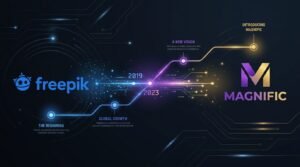
Freepik rebranded entirely to Magnific in April 2026, consolidating its stock asset library with a full AI creative suite covering image, video, and audio generation. The core AI image generator still works the same way.
The Freepik AI Image Generator helps users create visuals from text prompts or image references, with access to multiple AI models and editing tools inside one creative platform.
In simple terms: It is like having a creative designer available at any time. You tell it what to make, and it makes it.
How Does Freepik AI Image Generator Work?
The tool uses a process called text-to-image generation. Here is how it works:
- You write a prompt. A prompt is a text description of the image you want. For example: “A cozy coffee shop in autumn, warm lighting, cinematic style.”
- You choose a model and style. Freepik gives you access to multiple AI models. Each model has different strengths — some are better for photorealism, others for digital art or anime.
- The AI processes your prompt. The AI model analyzes your words and generates pixels that match your description.
- You receive your image. The final image appears within a few seconds.
The platform also supports image-to-image generation, where you upload an existing image and ask the AI to reimagine, edit, or extend it.
Key Features of Freepik AI Image Generator
Multiple AI Models
As of early 2026, Freepik AI includes model integrations such as Flux.1 Fast, Flux.1 Realism, Flux.2 Pro, Google Imagen 3, Google Imagen 4 Ultra, GPT Image 1.5, Seedream 4.5, and Mystic 2.5, among others.
Style Options
You can generate images in different styles: Photo, Digital Art, Painting, 3D, Anime, Cartoon, Watercolor, Flat Vector, and more.
Permutation Prompts
Permutation prompts allow users to generate multiple image variations by including alternate options within parentheses, separated by the pipe symbol. For example, typing (cat|dog) in a (park|beach) generates four separate images automatically.
AI Editing Tools
Beyond generation, Freepik includes:
- Upscaler — improves image resolution
- Reimagine — creates new versions of existing images
- Background Remover — removes backgrounds instantly
- Retouch — fixes specific areas of an image
- Expand — extends image borders
Parallel Model Comparison
The interface lets you generate four images at once across four different models and compare them side by side — a genuinely useful workflow for anyone who has not yet settled on a favourite model.
Integrated Stock Library
Freepik combines a 200+ million asset library with AI generation, which sets it apart from pure stock platforms like Shutterstock or Adobe Stock.
Benefits of Using Freepik AI Image Generator
- Saves time. You get a usable image in seconds instead of spending hours designing.
- Saves money. You do not need to hire a designer for every image.
- No design skills required. The interface is clean and beginner-friendly.
- Wide variety of styles. From photorealistic to anime, Freepik covers almost every creative style.
- Multiple AI models in one place. Instead of subscribing to five different AI tools, you access them all from one platform.
- Editing built in. Generate, then refine, all without switching apps.
- Access to stock assets. Paid users get millions of premium design resources alongside AI generation.
Who Should Use Freepik AI Image Generator?
| User Type | Why It Helps |
|---|---|
| Students | Create visuals for presentations, assignments, and projects |
| Bloggers | Generate custom featured images and post illustrations |
| Content Creators | Make thumbnails, social media graphics, and video covers |
| Social Media Managers | Fill a content calendar with fast, on-brand visuals |
| Graphic Designers | Sketch concepts quickly before moving to final design |
| Marketers | Create ad creatives, banners, and campaign visuals |
| Freelancers | Deliver client visuals faster at lower cost |
| Small Business Owners | Create product images, website graphics, and marketing materials |
How to Use Freepik AI Image Generator Step by Step
Step 1: Create a Free Account Go to freepik.com and sign up for a free account using your email or Google account.
Step 2: Navigate to the AI Image Generator Once logged in, look for the AI Image Generator in the navigation menu or go directly to the Pikaso interface.
Step 3: Write Your Prompt In the text box, describe the image you want. Be specific. Include details about subject, setting, style, lighting, mood, and colors.
Example: “A modern home office with a wooden desk, natural light from a large window, minimalist decor, photorealistic style.”
Step 4: Choose Your Style and AI Model Select a style and choose an AI model from the dropdown. For photorealistic images, try Google Imagen or Flux.1 Realism. For artistic styles, try Mystic or Seedream.
Step 5: Click Generate Hit the Generate button. The platform processes your prompt and returns images within seconds.
Step 6: Review and Download Browse the generated images. When satisfied, download your image. Free users get a watermarked version; paid users get a clean, high-resolution file.
Step 7: Edit if Needed Use the built-in editing tools — Upscaler for sharper resolution, Background Remover for product shots, or Retouch to fix small issues.
Freepik AI Image Generator Pricing
Freepik’s pricing ranges from $0 on the free tier up to a Pro plan at approximately $141.67 per month on annual billing. Other paid tiers include Essential at $5.42 per month, Premium at $10.83 per month, and Premium+ at $24.33 per month, all on annual billing. For teams, a Business plan is available at $55 per seat per month on annual billing.
| Plan | Price (Annual Billing) | Best For |
|---|---|---|
| Free | $0/month | Beginners, casual users |
| Essential | ~$5.42/month | Hobbyists, side projects |
| Premium | ~$10.83/month | Individual professionals |
| Premium+ | ~$24.33/month | High-volume solo creators |
| Pro | ~$141.67/month | Agencies, API users |
| Business | $55/seat/month | Teams (2+ seats) |
| Enterprise | Custom pricing | Large organizations |
Free vs Premium Comparison Table
| Feature | Free | Premium | Premium+ |
|---|---|---|---|
| Daily Image Generations | ~20 (in-house model) | More credits | Unlimited on selected models |
| Watermark on Downloads | Yes | No | No |
| Commercial Use Rights | No | Yes | Yes |
| Access to Premium Stock | No | Yes | Yes |
| AI Models Available | Basic | Full library | Full library |
| Image Resolution | Standard | High | Up to 4K |
| Brand Kit | No | No | Yes |
| Priority Processing | No | No | Yes |
| API Access | No | No | Pro plan only |
The free plan is a trial and personal use tier. Images come watermarked, and generated images cannot be used in commercial contexts. Anyone using images commercially must be on a paid plan.
Best Prompt Examples for Freepik AI
For a Blog Featured Image: “Flat lay of a laptop, notebook, and coffee on a wooden desk, top view, soft natural lighting, blogger aesthetic”
For Social Media: “Minimalist quote card background, soft pastel gradient, clean white space, modern design feel”
For a YouTube Thumbnail Background: “Abstract glowing technology network, dark blue and purple tones, cinematic depth of field, high contrast”
For an eCommerce Product Shot: “White skincare bottle on a marble surface, fresh green leaves nearby, clean product photography, white background”
For an Anime-Style Illustration: “Young girl reading a book in a library at night, anime style, moonlight through tall windows, detailed linework”
General Prompt Formula: [Subject] + [Setting] + [Lighting] + [Style] + [Mood] + [Color Palette]
Real World Use Cases
Freepik AI for Students
Students can use Freepik AI to create visuals for presentations, school projects, and academic reports. Instead of using generic stock photos, they can generate custom images that match their topic. The free plan is sufficient for most student needs.
Freepik AI for Bloggers
Bloggers need a constant supply of fresh, relevant images. Freepik AI lets you generate a custom featured image for every blog post in minutes. You get images that are unique to your content — not recycled stock photos that appear on hundreds of other sites.
Freepik AI for Content Creators
YouTube creators, podcasters, and newsletter writers can use Freepik AI to create thumbnails, cover art, and promotional graphics. It is especially useful for creators who publish frequently and need a consistent visual identity.
Freepik AI for Social Media Marketing
Social media managers get the most direct value: up to 20 free daily generations, fast output, and built-in caption writing cover a content calendar without touching a budget.
Freepik AI for Graphic Designers
Designers can use Freepik AI for rapid concept prototyping. It is a complement to their toolkit rather than a replacement for more capable tools.
Advantages and Disadvantages
Pros and Cons Table
| Pros | Cons |
|---|---|
| Free plan with 20 daily generations | Free plan adds watermarks to downloads |
| Multiple AI models in one platform | Commercial use requires a paid plan |
| Wide range of artistic styles | Character anatomy can be inconsistent |
| Built-in editing suite | Credit system can be confusing |
| Access to 250M+ stock assets on paid plans | Best models consume credits quickly |
| Beginner-friendly interface | API access only on expensive Pro tier |
| Legal indemnification on higher plans | May not match specialized tools for niche styles |
| No design experience required | Free watermarks are unpublishable for clients |
Freepik AI vs Midjourney
Freepik AI is an all-in-one platform for creators who need images, editing tools, and stock assets in one place. The free plan is accessible and the interface is beginner-friendly.
Midjourney is a dedicated AI image generator known for producing highly artistic, visually striking results. It is often the top choice for professional artists and illustrators. However, it has no meaningful free plan and requires Discord to use.
Verdict: Choose Midjourney if image quality and artistic style are your top priority. Choose Freepik AI if you need a more versatile, budget-friendly platform with editing tools and stock assets included.
Freepik AI vs DALL-E
Freepik AI offers multiple models, integrated editing, and a stock library alongside AI generation.
DALL-E (by OpenAI) is excellent for following complex, nuanced prompts and generating images with accurate text. It is built into ChatGPT, making it convenient for OpenAI users. However, credits can be costly at scale.
Verdict: Choose DALL-E if you need highly accurate prompt interpretation or text in images. Choose Freepik AI if you want more model variety and built-in editing at a lower monthly cost.
Freepik AI vs Canva AI
Freepik AI focuses primarily on AI image generation with deep model variety and editing tools.
Canva AI is a design-first platform where AI image generation is one feature among many. Canva is better for creating full social media posts, presentations, and branded templates.
Verdict: Choose Canva if you primarily need a design tool with some AI generation built in. Choose Freepik AI if your main goal is generating high-quality AI images with more model control.
Comparison Table
| Feature | Freepik AI | Midjourney | DALL-E | Canva AI |
|---|---|---|---|---|
| Free Plan | Yes (20/day) | No | Limited | Yes (limited) |
| Multiple AI Models | Yes | No | No | No |
| Built-in Editing | Yes | No | Basic | Yes |
| Stock Library | Yes (250M+) | No | No | Yes (limited) |
| Beginner Friendly | Yes | Moderate | Yes | Yes |
| Commercial Rights | Paid plans | Paid | Paid | Paid |
| Best For | All-in-one creators | Artists | ChatGPT users | Design-first users |
| Starting Price | Free | ~$10/month | Free (limited) | Free (limited) |
Best Alternatives to Freepik AI Image Generator
- Midjourney — Best for high-quality artistic images
- Adobe Firefly — Best for Adobe users; integrates with Photoshop
- DALL-E (OpenAI) — Best for accurate prompt interpretation
- Canva AI — Best for quick social media graphics and branded templates
- Leonardo AI — Best for game art and character design; generous free tier
- Ideogram AI — Best for generating images with accurate text
- Stable Diffusion — Best for advanced users wanting full open-source control
Tips for Getting Better Results
1. Be specific in your prompts. Vague prompts produce generic results. Instead of “a cat,” write “a fluffy white Persian cat sitting on a windowsill, soft morning light, cozy interior, shallow depth of field.”
2. Specify the art style. Always include a style reference: photorealistic, oil painting, watercolor, flat vector, 3D render, anime, etc.
3. Include lighting and mood details. Use terms like: golden hour, studio lighting, neon light, candlelight, dramatic shadows, or soft diffused light.
4. Use the right AI model for your goal. For photorealism, try Google Imagen or Flux.1 Realism. For artistic work, try Mystic or Seedream.
5. Generate multiple variations. Use permutation prompts to generate several variations from one prompt and pick the best.
6. Use the Upscaler after generation. If an image looks slightly blurry or small, run it through the Freepik Upscaler before downloading.
7. Iterate your prompt. If the first result is not right, slightly modify your prompt — change one word, add a detail, or switch the model — and generate again.
Common Mistakes to Avoid
- Using vague prompts. More detail always produces better images.
- Ignoring model selection. Using the wrong model for your goal wastes credits and time.
- Relying on the free plan for client work. Watermarked images are not suitable for professional use.
- Expecting accurate text in images. AI image generators struggle with text. Use Ideogram for text-heavy graphics.
- Not using editing tools. The Upscaler, Retouch, and Background Remover can significantly improve your final image.
- Overloading prompts with conflicting instructions. Keep your prompt focused on one clear vision.
Expert Verdict
Freepik AI Image Generator is one of the most versatile and accessible AI image tools available in 2026.
Its biggest strength is breadth. Unlike single-model tools, Freepik gives you access to dozens of leading AI models — Flux, Google Imagen, GPT Image, Seedream, Mystic — all from one platform. Combined with built-in editing tools, a 250M+ stock library, and flexible pricing, it is hard to beat for most content creators.
The free plan with 20 daily generations is genuinely generous, covering most weeks for social media managers without spending anything.
For professional use, the Essential or Premium plan is the practical minimum. The Premium+ plan is the best value for high-volume creators who generate images daily.
One weakness to note: character anatomy — hands, faces, complex body positions — can still be inconsistent across models. And the credit system can drain faster than expected for power users.
Bottom line: For bloggers, content creators, social media managers, and small businesses, Freepik AI is an excellent all-in-one tool. For artists who care deeply about fine detail and creative control, dedicated tools like Midjourney may still serve better.
Rating: 4.3 / 5
Conclusion
The Freepik AI Image Generator has grown from a simple image tool into a full creative platform. With multiple AI models, integrated editing, a massive stock library, and flexible pricing, it offers real value to a wide audience.
Whether you are a student who needs a quick presentation graphic, a blogger who wants unique featured images, or a marketer running social media campaigns, Freepik AI can save you time and money.
The free plan is a perfect starting point. If you find yourself relying on it regularly, upgrading to Essential or Premium is a low-cost decision that unlocks professional-quality outputs.
Try it, experiment with prompts, and explore the models. The more you use it, the better your results will get.
Frequently Asked Questions
What is Freepik AI Image Generator? Freepik AI Image Generator is a text-to-image tool that lets you create custom images by typing a description. It supports multiple AI models and is part of the Freepik platform, now rebranded as Magnific.
Is Freepik AI Image Generator free? Yes. The free plan offers up to 20 image generations per day. Free images include a watermark and cannot be used commercially.
How does Freepik AI Image Generator work? You type a text prompt, select a style and AI model, and click Generate. The AI produces an image within seconds.
Who can use Freepik AI Image Generator? Anyone — students, bloggers, content creators, social media managers, graphic designers, marketers, freelancers, and small business owners. No design experience is needed.
Is Freepik AI suitable for beginners? Yes. The interface is simple and you only need to describe what you want in plain English.
Can Freepik AI create realistic images? Yes. Using models like Google Imagen 4 or Flux.1 Realism, Freepik can produce highly photorealistic images.
Does Freepik AI support different art styles? Yes. Available styles include Photo, Digital Art, Painting, 3D, Anime, Cartoon, Watercolor, Flat Vector, and more.
Can I generate commercial use images with Freepik AI? Only on paid plans. The free plan does not include commercial licensing rights.
How much does Freepik AI Image Generator cost? The free plan is $0. Paid plans start at around $5.42 per month (Essential, billed annually).
What are the limitations of the free version? Free users get approximately 20 generations per day on the in-house model only, receive watermarked outputs, have no commercial rights, and cannot access premium AI models.
Can I use Freepik AI for YouTube thumbnails? Yes. Generate a background or key visual using Freepik AI, then add text and graphic elements in Canva or Photoshop to complete the thumbnail.
Are Freepik AI images copyright free? Images generated on paid plans can be used commercially under Freepik’s licensing terms. Users are responsible for not requesting copyrighted characters or trademarks in their prompts.
Can Freepik AI generate high resolution images? Yes. Premium+ and above support up to 4K resolution on selected AI models.
Does Freepik AI create accurate text in images? Text accuracy is a known weakness across all AI image generators. If you need precise text in images, consider Ideogram AI instead.
Why is Freepik AI not generating images? Common reasons include exhausted daily credits, server load during peak hours, or an overly complex prompt. Try simplifying your prompt or waiting a few minutes before trying again.